Rocketflare Launch

Unlock your builders, safely.

Anyone can go from an idea to a secure, production app in the browser, while IT keeps control of credentials, sign-in, approvals and audit.

  • Self-hosted on your Cloudflare
  • Every app a real repo
  • Claude Code or Codex

Scroll, or use the arrow keys

The problem

Every company has more app ideas than engineers.

The queue

Builders wait

The person who knows the process best files a ticket and waits a quarter for a tool that should take a week.

The workaround

Shadow apps

So they use a hosted AI builder. The app works, but it lives outside company sign-in, holds pasted keys, and nobody in IT knows it exists.

The tax

Everything around the app

The apps that do get built properly each redo accounts, databases, DNS, secrets, sign-in, deploys, approvals and upgrades.

Agents can now write production code. What is scarce is the safe path from a good idea to a governed, running app.

The idea

The Lovable loop, on your own repo, CI and approvals.

Describe what you want, watch it appear in a live preview, ship it. The loop people already love, with every part of it landing somewhere the company owns.

Where it runs
The vendor’s cloud
Your Cloudflare account
Where the code lives
The vendor’s project, optionally synced out
A normal repo in your GitHub
Who can sign in
Whoever the builder set up
Your company login, per app
How it reaches production
A publish button
Gate, pull request, approval
What it is built on
A fresh prototype each time
A production kit the company chose
How it works

From a form to production, without a terminal.

An app's path through Launch, from creation to production 1 Create 2 Session 3 Gate 4 Pull request 5 Staging 6 Production fix turn Staging is automatic; production waits for a person.
  1. Create. A name and a team. Launch makes the repo, database, Workers, email identity and hosts.
  2. Session. Chat with a coding agent in a sandbox, against the app’s real code, with a live preview.
  3. Gate. Launch runs the app’s own checks on a throwaway database; a red check gets one focused fix turn.
  4. Pull request. Launch opens it, waits for CI and an optional review, then merges.
  5. Staging. A release is cut and followed until it is live.
  6. Production. Waits for an approval in Launch, then Launch deploys it.
Create an app

Minutes from a form to a staging URL.

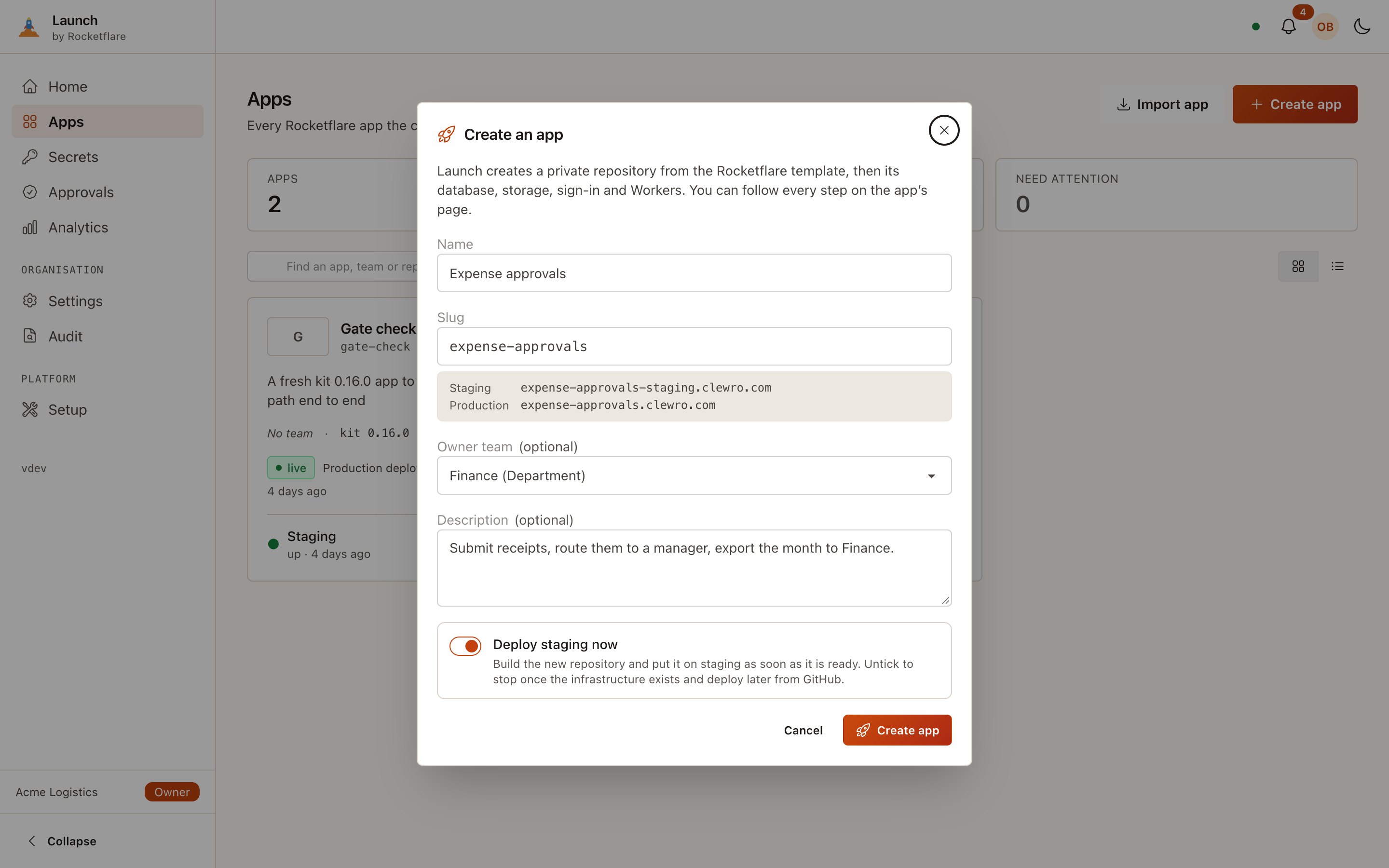
Nobody opened a terminal. One durable workflow sets up everything an app needs, and you can follow each step on the app’s page.

  • A private GitHub repository from a pinned kit release
  • A Neon Postgres database, staging and production
  • Cloudflare Workers, storage, queues and secrets
  • expense-approvals.your-apps.com, with a certificate
  • Company sign-in configured from the first deploy
Launch's Create an app dialog: name Expense approvals, the slug expense-approvals with its staging and production hosts, owner team Finance, a description, and Deploy staging now switched on Launch's Create an app dialog: name Expense approvals, the slug expense-approvals with its staging and production hosts, owner team Finance, a description, and Deploy staging now switched on
Build by chatting

A coding agent, the app’s real code, a live preview.

Each session is a sandbox with its own copy of the repo and its own database branch. The agent reads the kit’s rules and skills, so it builds the way the codebase expects.
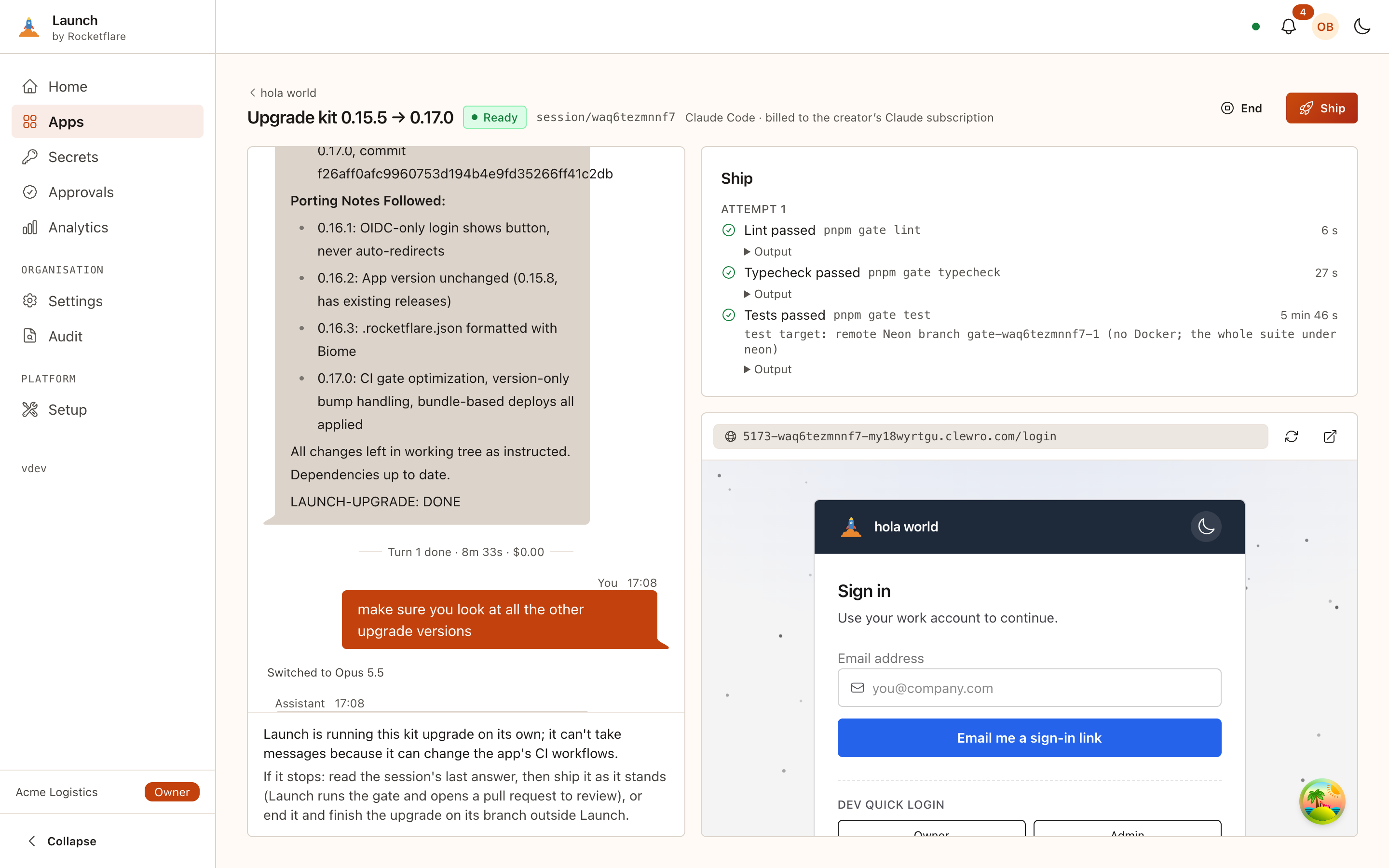
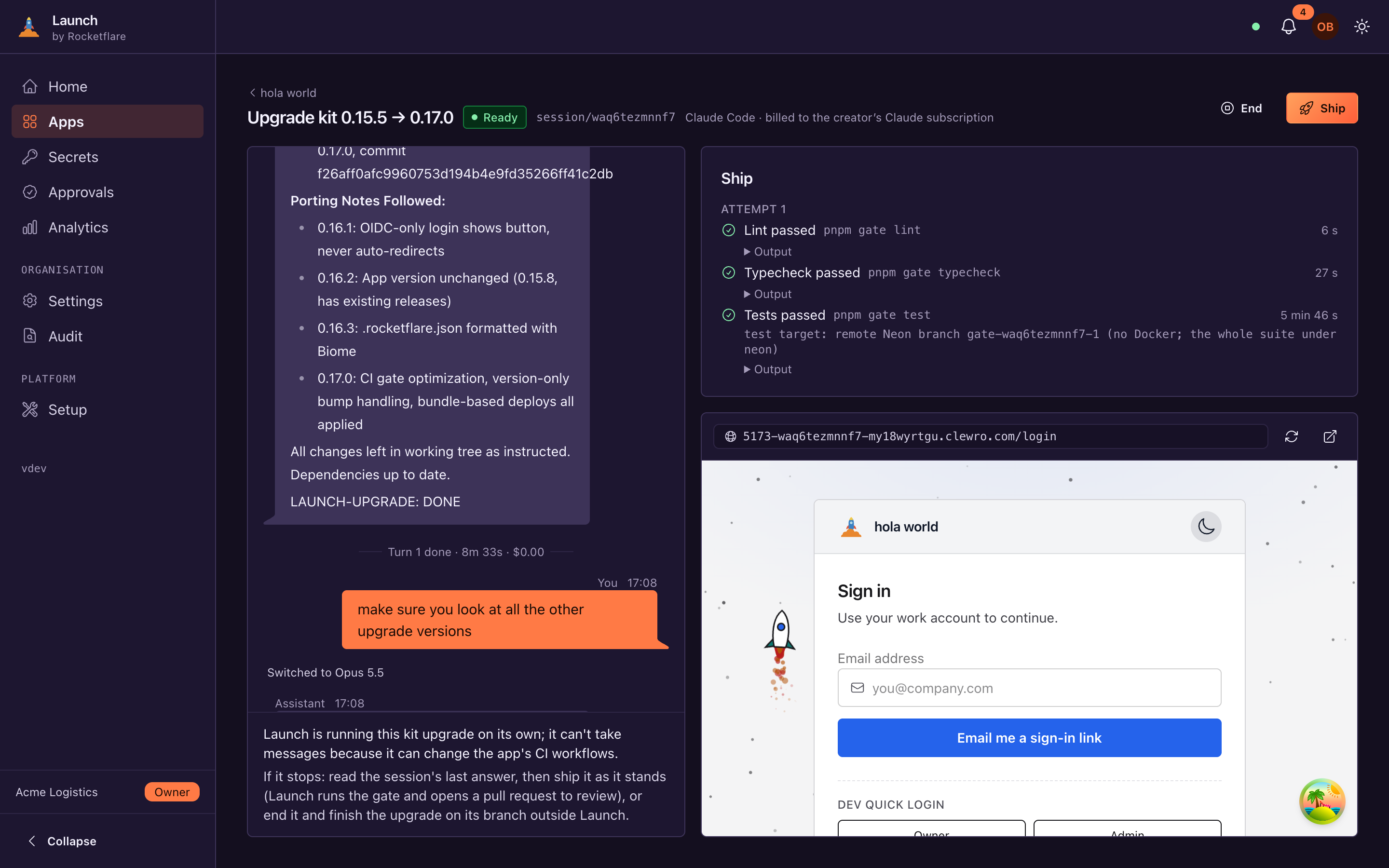
  • 24 seconds from nothing to a live preview, measured on Cloudflare
  • Claude Code or Codex, model chosen per message
  • Billed to the company key, or to the builder’s own subscription
  • Screenshot the preview into the chat; queue or interrupt a turn
  • A budget per session, metered outside the sandbox
A Launch coding session: the conversation with Claude Code on the left, the Ship panel with lint, typecheck and tests passed on a Neon gate branch at top right, and the app's live preview below it A Launch coding session: the conversation with Claude Code on the left, the Ship panel with lint, typecheck and tests passed on a Neon gate branch at top right, and the app's live preview below it
Ship through the gate

Shipping is a button. Production is a decision.

Launch runs the gate itself, opens the pull request, waits for CI and follows the release to staging. Production waits for someone allowed to say yes.
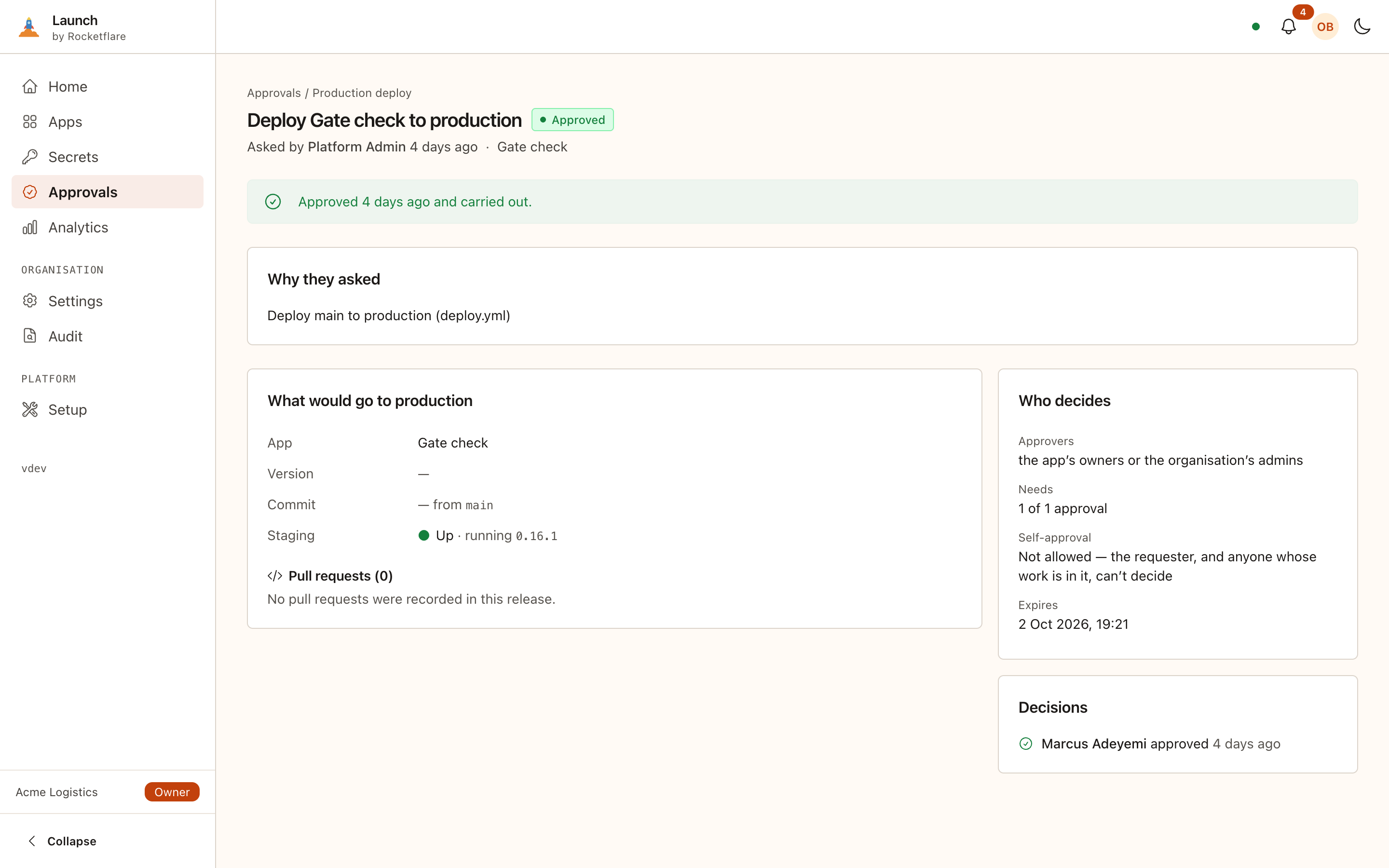
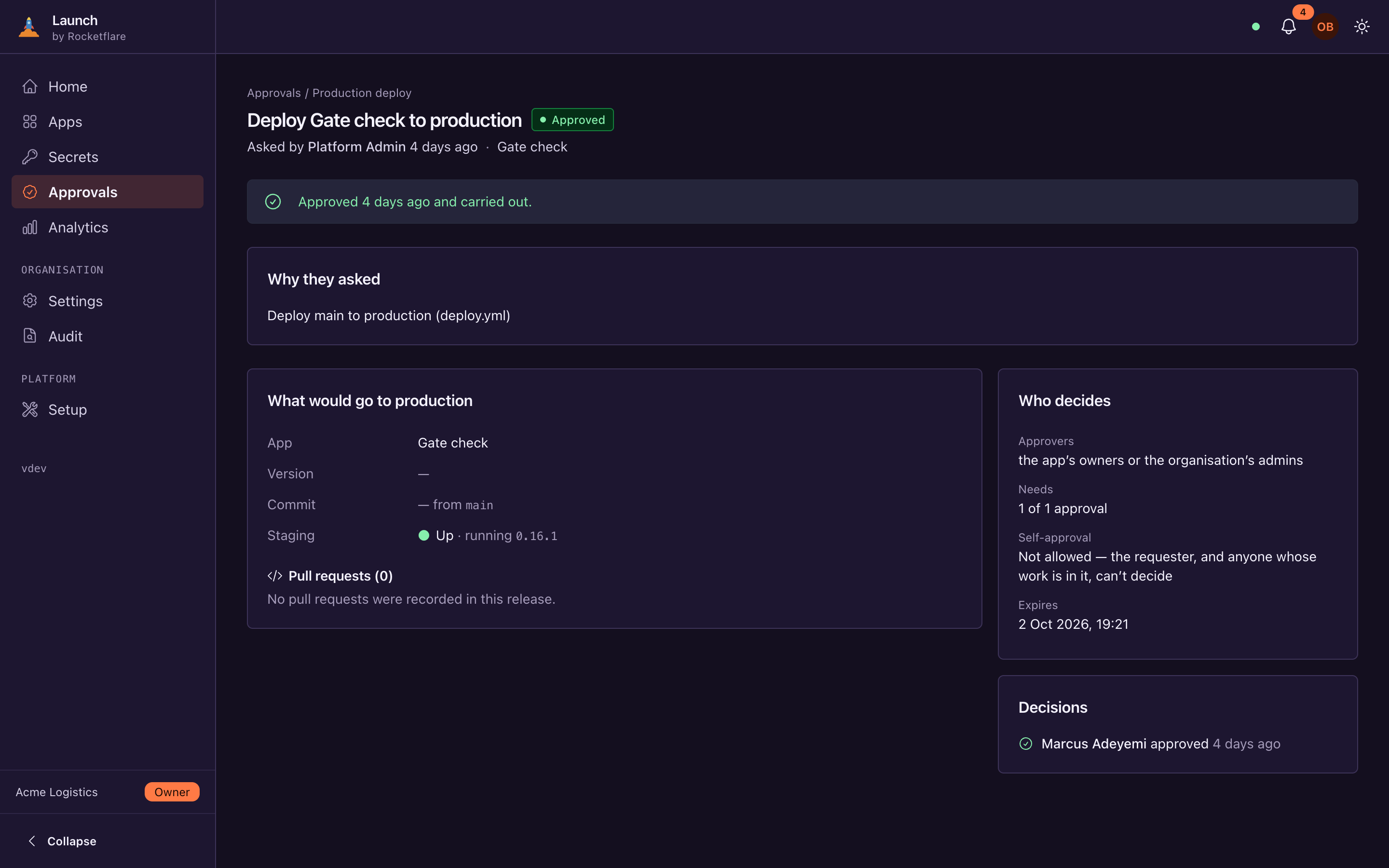
  • No model call decides whether a check passed
  • Approvers, how many, and whether you may approve your own work, set by policy
  • Production can ship the exact build staging ran, not a rebuild
  • Works on any GitHub plan; no Enterprise needed
A production deploy approval in Launch: why it was asked, what would go to production, who decides (the app's owners or the organisation's admins, 1 of 1, self-approval not allowed) and the decision A production deploy approval in Launch: why it was asked, what would go to production, who decides (the app's owners or the organisation's admins, 1 of 1, self-approval not allowed) and the decision
Production-grade from day one

Every app starts where most apps hope to end up.

New apps start from Rocketflare by default, an open-source kit with the hard parts already written. So the app a builder starts on Monday has what a platform team would ask for.

  • Organisations and roles

    Tenancy enforced in Postgres row-level security, not in each query.

  • Sign-in

    Magic links, Google, Microsoft and OIDC, with the company login on top.

  • A real database

    Postgres with migrations, its own per environment.

  • Background work

    Queues, workflows, cron and realtime from day one.

  • AI that is measured

    Chat, agents, retrieval over documents, evals and tracing.

  • Analytics

    Dashboards over the app’s own data, readable by agents too.

  • A command line

    Every feature scriptable, for people and for agents.

  • Plugins

    Extra capability copied in as code, never a runtime dependency.

Your kit, your rules

The company decides what its people build on.

Rocketflare is the default kit, not the only one. A platform admin keeps a catalogue of kits, and a builder picks one when they create an app.

  • A catalogue, kept by IT

    Register a kit by its GitHub repository, pinned to a tag or a commit or following its latest release. Private kit repos are read through Launch’s GitHub App. Builders are offered the default and the kits that pass their check.

  • One contract, checked

    A kit declares in a root launch.kit.json how Launch drives it: how a copy is made, what its resources are called, its gate, its release and its sessions. Launch checks it, and can scaffold a throwaway repo to prove it.

  • Start from the meta-kit

    launch-kit is the smallest app that conforms: one Worker, Neon Postgres, sign-in, a gate and a deploy workflow. Fork it, fill it in, register it.

Each app keeps the kit it was made from. Its upgrades, coding sessions, deploys and sign-in follow that kit, and an upgrade moves it forward within its own kit only.

Every kit runs on the same platform: one Cloudflare Worker per environment, Neon Postgres, and only the resource kinds Launch provisions. A session on a kit other than Rocketflare installs its packages from cold.

IT stays in control

One place to say who, what and whether.

  • One sign-in. Launch is the identity provider for every app, with access per app and a request-access flow when someone is turned away.
  • One approvals engine. Eight kinds of request, from creating an app to merging a session to promoting to production.
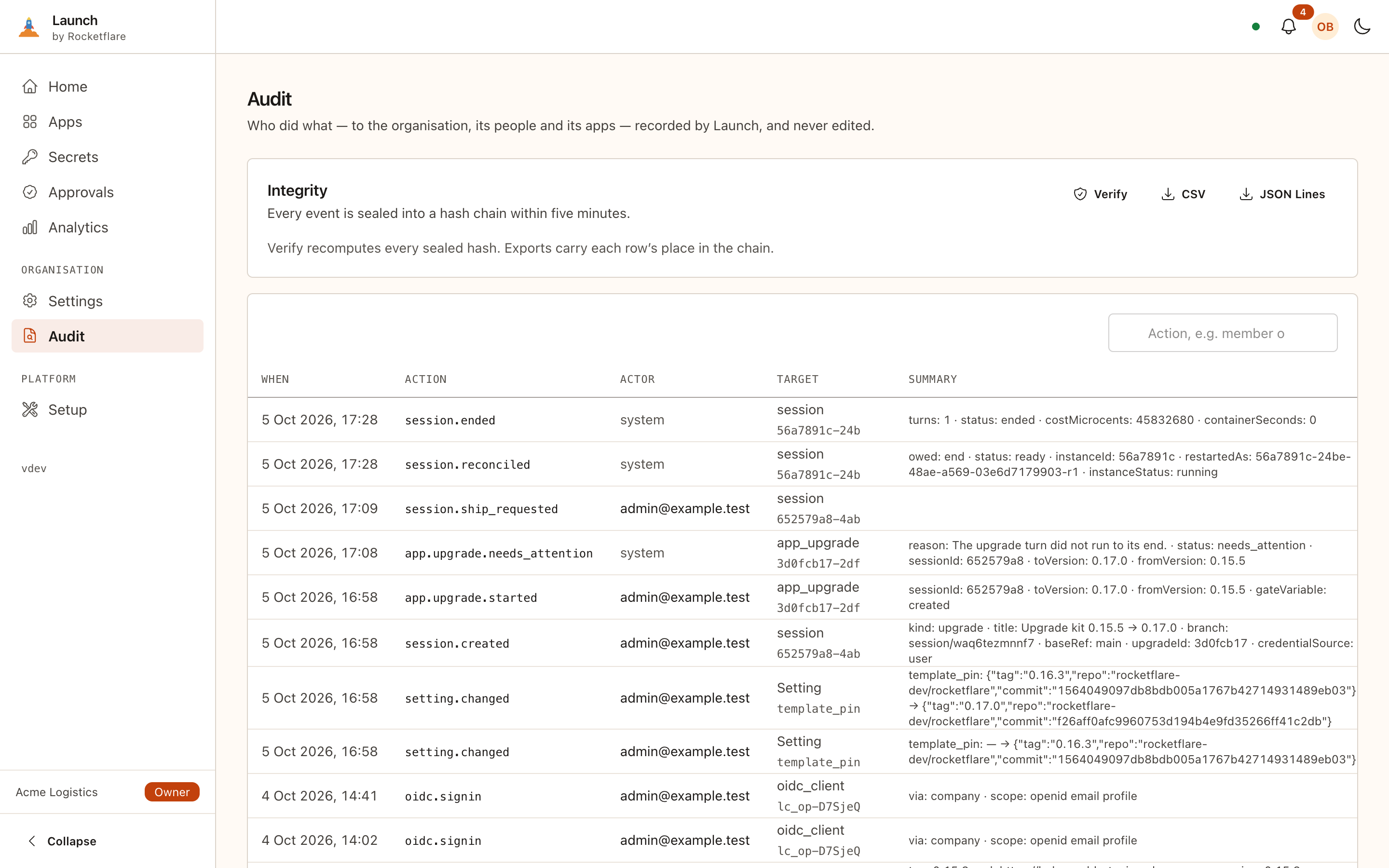
  • One audit log. Append-only in the database, sealed into a hash chain, verifiable and exportable.
  • One place for credentials. The account tokens stay in Launch. Apps get only their runtime secrets.
Launch's audit log: an integrity panel with Verify, CSV and JSON Lines, above a table of events such as session.created, app.upgrade.started and setting.changed with actor, target and summary Launch's audit log: an integrity panel with Verify, CSV and JSON Lines, above a table of events such as session.created, app.upgrade.started and setting.changed with actor, target and summary
Yours, not ours

If Launch disappeared, every app would keep running.

Launch runs in the company’s own Cloudflare account, one copy per company. The apps are normal repos and Workers that can still be deployed by hand.

  • Your Cloudflare · Launch accountLaunchConsole, sign-in, approvals, audit, coding sessions
  • Your Cloudflare · apps accountEvery appA Worker per environment, its storage, queues and hosts
  • Your GitHub organisationEvery repoThe code, its CI and its releases, under any licence you choose
  • Your Neon organisationEvery databaseA project per app; a branch per session and per gate run
How a coding agent reaches the model without ever holding the key Agent sandbox Launch Model provider placeholder key allow-list, meter real key added response response
  1. The agent calls the model with a placeholder; the sandbox holds no real credential.
  2. Launch checks the host against the session’s allow-list and meters the call.
  3. Launch swaps the real key or subscription token in on the way out.
  4. The response comes back the same way. CI, likewise, holds no Cloudflare token.
So why Cloudflare and Neon?

A stack chosen so letting everyone build is safe.

  • Apart from your core infrastructure

    Apps and agents run in Cloudflare accounts of their own, outside the corporate network. A misbehaving app has nothing of yours to reach.

  • Nothing reaches in unless it is shared

    Corporate APIs, data and SaaS connections reach an app only as an explicit grant: requested, approved by whoever owns them, pushed by Launch, rotated in one place.

  • Sandboxed agents, keys kept outside

    Each coding session is its own container with its own copy of the repo. The model key and the GitHub token are added on the way out; the container never holds them.

  • A throwaway database for every agent

    Neon branches are near-instant copies, so every session and every gate run gets a real Postgres of its own, deleted afterwards. No agent touches staging or production data.

  • A small blast radius per app

    Its own Worker per environment, its own database and role, its own origin. One app cannot read another’s data or cookies, and CI never holds a deploy credential.

  • Serverless, so idle costs nothing

    No servers, clusters or patching for IT; a new host is live in about 100 ms. Workers bill per request and Neon scales to zero, so fifty quiet apps cost close to nothing. What it costs.

Plain Postgres and ordinary code in your repo, so none of it is a lock-in. A Kubernetes edition is on the roadmap.

The fleet stays current

Fifty apps, not fifty snowflakes.

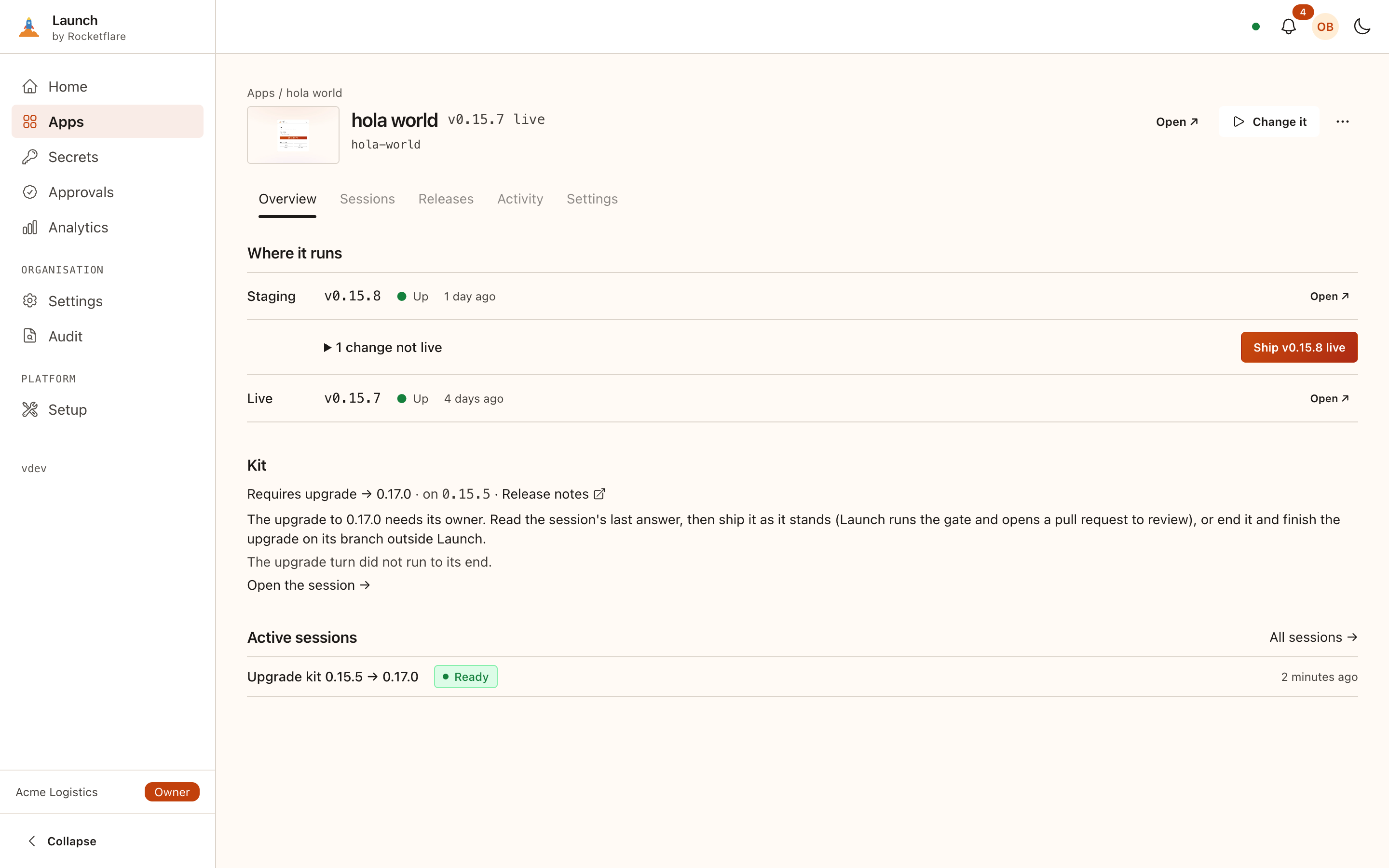
Apps made by hand drift years behind their template. Launch knows which kit release every app is on, and an upgrade is a session like any other: an agent applies the porting notes, Launch gates it and opens the pull request.
  • Kit releases flagged per app, with the release notes a click away
  • Shared credentials, such as a Microsoft 365 connection, granted by their owner and pushed to the apps that hold them
  • One rotation updates every app with that grant
An app's page in Launch: staging on v0.15.8 and live on v0.15.7, both up, a Ship v0.15.8 live button, and a Kit section saying it requires an upgrade to 0.17.0 with a link to the upgrade session An app's page in Launch: staging on v0.15.8 and live on v0.15.7, both up, a Ship v0.15.8 live button, and a Kit section saying it requires an upgrade to 0.17.0 with a link to the upgrade session
Versus the alternatives

The only one that does all of it.

How each approach to internal apps compares
ApproachAnyone can buildReal code in your GitHubRuns in your own cloudCompany sign-in on every appApprovals and auditProduction stack per app
Hosted AI app builders Yes Partly No Partly No Partly
Low-code platforms Yes No Partly Yes Yes Partly
An internal platform team No Yes Yes Partly Partly Partly
Rocketflare Launch Yes Yes Yes Yes Yes Yes

Our read of each category, not a scorecard of any one vendor.

Where it stands

Built, and running real apps.

Creating apps, coding sessions, the gate, approvals and grants are built, and the people building Launch use it every day. Apps it created are live on staging and production, promoted through its own approval gate.

to a live preview
24 s
kinds of approval, one engine
8
automated tests in Launch
~3,100
apps live through the gate
2
How it makes money

Open kit, licensed console.

Adoption

The kit is MIT

Free, open source and useful on its own. It is how engineers find Rocketflare, and it is the kit Launch builds from by default, so the kit’s quality is Launch’s quality.

Revenue

Launch is source-available

Elastic License 2.0: a company may run it, read it and change it for itself, but not resell it as a service or get around its licence key. The licence key is the commercial line.

Open question

Pricing isn’t set

Per company, per builder or per app are all on the table. It runs on the customer’s own Cloudflare, Neon and model accounts, so infrastructure cost never sits in our margin.

What comes next

From one company’s apps to a standing fleet.

On the roadmap, not built yet.

  • Upgrade every app at once

    One kit release rolled across the fleet, each app through its own gate and PR. One app at a time is built.

  • Grants proven on live Workers

    Shared credentials pushed, rotated and revoked on real apps. Built and tested against fakes today.

  • Session policy

    How many sessions an app may run at once, and who pays for them, set by policy rather than by hand.

  • Teardown at scale

    Archiving and removing apps, with their databases and hosts, as routine rather than a careful afternoon.

  • A Kubernetes edition

    The same Launch and the same apps in a cluster you run, for companies whose policy keeps everything inside their own estate.

  • A pilot company

    Launch deployed in a company’s own accounts, with its own builders, beyond the people who wrote it.

Next step

See it build an app for your team.

Half an hour: we create an app for one of your real processes, change it in a session, and walk it through the gate to production.

Talk to us → Read the source

Built on Rocketflare, the open-source kit. Take the tour to see what every app starts with.